Why Is My Phone Charging So Slowly? 10 Fixes That Work
- Mobile Phone Technology
smartcomedy
- 0
- 15 minutes read
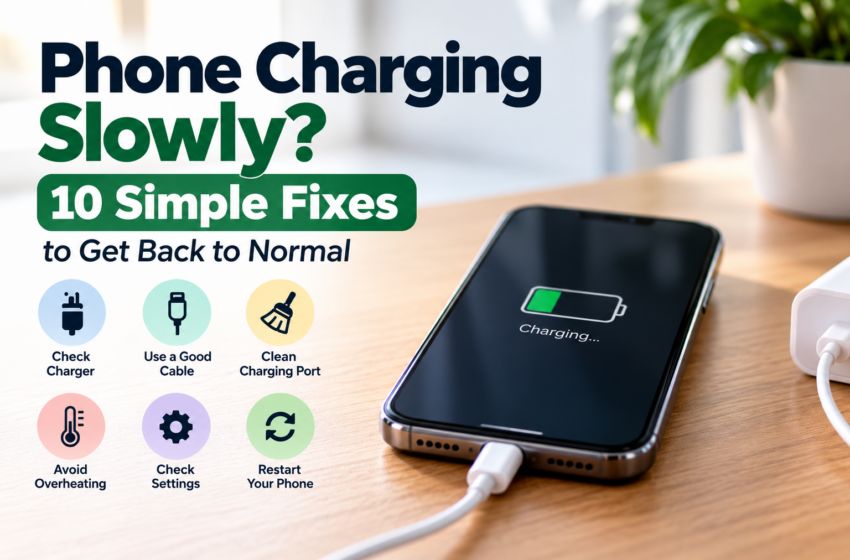
Have you noticed that your phone is taking much longer to charge than it used to?
Slow charging can be caused by something as simple as a worn-out cable, dust in the charging port, excessive heat, or using demanding apps while your phone is plugged in.
Before buying a new phone or replacing the battery, try these 10 practical fixes.
1. Check Your Charger and Cable
Your charger and cable have a major impact on charging speed.
A damaged, worn, or incompatible cable may charge your phone much more slowly than expected. The same can happen with a charger that does not provide enough power for your device.
Try using a compatible charger and a known-good cable. If your phone starts charging normally, the original charger or cable may be the problem.
2. Make Sure the Cable Is Connected Properly
Sometimes slow charging is caused by a loose connection.
Disconnect the cable and plug it back in firmly. Check both ends of the cable and make sure the charger is properly connected to the wall outlet.
If the connection keeps cutting in and out when you move the cable, the cable or charging port may need attention.
3. Check the Charging Port for Dust or Lint
Dust, lint, and other debris can build up inside your phone’s charging port and prevent the cable from making a proper connection.
Turn off the phone and inspect the port in good lighting.
If you see debris, avoid forcing objects into the port or damaging the contacts. If you are unsure how to clean it safely, have the port checked by a qualified technician.
4. Stop Using Heavy Apps While Charging
Using demanding apps while your phone is charging can make charging appear much slower.
Gaming, video editing, streaming, navigation, and other intensive tasks can use a lot of power while the phone is trying to charge.
For faster charging, leave the phone alone for a while or close demanding apps while it charges.
5. Let Your Phone Cool Down
Heat can affect charging performance.
If your phone feels unusually warm while charging, move it to a cooler location and avoid demanding tasks until it returns to a normal temperature.
Do not cover the phone with blankets, pillows, or other materials while it is charging.
If the phone repeatedly becomes extremely hot during charging, stop using it and consider having it inspected.
6. Check Whether Fast Charging Is Enabled
Some phones support fast charging, but the feature may depend on the phone model, charger, cable, and charging settings.
Check your phone’s battery or charging settings to see whether fast charging is supported and enabled.
The exact setting name and location can vary between manufacturers and software versions.
Also remember that using a fast charger does not automatically make every phone charge quickly. The phone must support the charging technology and the charger must be compatible.
7. Use a Compatible Charger Instead of a Computer USB Port
Charging from a computer, laptop, car USB port, or other low-power USB source may be slower than charging from a suitable wall charger.
For normal charging, use a compatible wall charger designed for your phone when possible.
If charging from a computer is noticeably slower, that may be completely normal rather than a sign that your phone is damaged.
8. Check for Moisture in the Charging Port
Some phones can detect moisture in the charging port and temporarily prevent or limit charging to protect the device.
If your phone displays a moisture warning, disconnect the charger and allow the port to dry naturally.
Do not insert objects into the port to try to dry it, and do not continue charging if the phone is warning you about moisture.
If the warning continues even when the port appears dry, follow your phone manufacturer’s support instructions.
9. Restart Your Phone and Check for Updates
A temporary software problem can sometimes affect charging behavior.
Restart your phone and check whether the charging speed improves afterward.
It is also worth checking for available system updates. Manufacturers sometimes release software updates that fix bugs or improve device performance.
Keep your phone updated, especially if slow charging started after a software change or update.
10. Check the Battery and Charging Hardware
If you have tried different compatible chargers and cables and your phone is still charging unusually slowly, the problem may be related to the battery, charging port, or another hardware component.
Older batteries can also lose capacity over time, which can affect overall battery performance.
If the problem continues despite trying the steps above, consider having the phone inspected by the manufacturer or a qualified repair professional.
Frequently Asked Questions
Why Is My Phone Charging Slowly Even With a Fast Charger?
A fast charger cannot make every phone charge at the same speed.
Slow charging can still happen because of an incompatible cable, charging settings, high temperature, debris in the charging port, heavy phone usage, or limitations of the phone itself.
Why Does My Phone Charge Slowly When It Gets Hot?
Your phone may reduce charging speed when its temperature becomes too high.
This is a protective measure designed to help manage heat and protect the battery and device.
Let the phone cool down and avoid demanding tasks while charging.
Does Using Your Phone While Charging Make It Charge Slower?
It can.
Using demanding apps while charging consumes power at the same time the battery is trying to recharge. As a result, the battery may charge more slowly.
Can Dust Make a Phone Charge Slowly?
Yes.
Dust or lint inside the charging port can interfere with the connection between the cable and the phone.
If you suspect debris, inspect the port carefully and avoid damaging it while trying to clean it.
Should I Buy a New Charger If My Phone Is Charging Slowly?
Not necessarily.
First check the cable, charging port, phone temperature, charging settings, and how you are using the phone while it charges.
If the charger or cable is damaged or incompatible, replacing it with a suitable one may solve the problem.
⚠️ Charging Safety Warning
Stop charging and using your phone if the device becomes extremely hot, the battery appears swollen, you notice smoke or leaking, there is a strong unusual smell, or you see other signs of battery damage.
Do not puncture, squeeze, open, or attempt to remove a damaged battery yourself.
If there is smoke, fire, or immediate danger, move away from the device, keep other people and pets away, and contact your local emergency or fire service.
Never continue charging a visibly damaged or swollen battery.
Quick Slow-Charging Checklist
Before replacing your phone, try these steps:
- Try a compatible, known-good charger and cable
- Make sure the cable is firmly connected
- Inspect the charging port for dust or lint
- Avoid demanding apps while charging
- Let the phone cool down if it becomes hot
- Check whether fast charging is supported and enabled
- Try a suitable wall charger instead of a computer USB port
- Check for moisture warnings
- Restart the phone
- Check for software updates
- Have the phone inspected if the problem continues
The Bottom Line
Slow charging does not necessarily mean that you need a new battery or a new phone.
Start by checking the charger and cable, charging port, phone temperature, heavy app usage, and charging settings. These simple issues can often explain why a phone suddenly starts charging more slowly.
If none of these fixes help, the problem could be related to the battery, charging port, or other hardware.
Find the cause first, then replace only what actually needs replacing.